تفعيل FireWall - وكالة التحول الرقمي
-
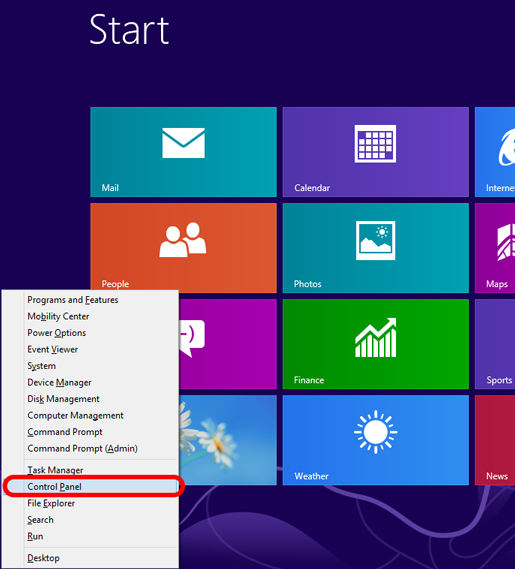
If you have a keyboard and mouse, press Windows-X, click Control Panel and skip the next two steps.
-
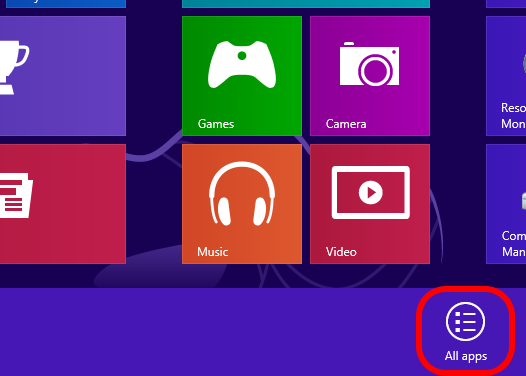
Otherwise, from the Start screen, swipe up and tap All apps.
-
Scroll to the right and tap Control Panel.

-
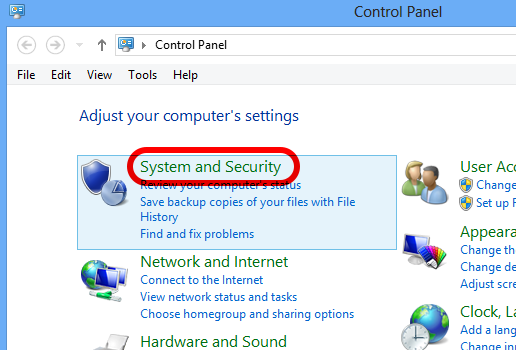
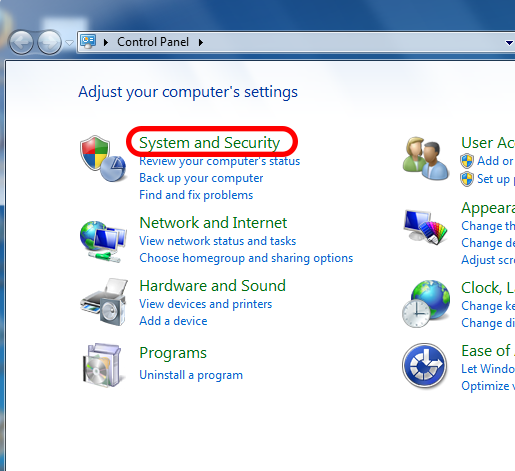
Click or tap System and Security.
-
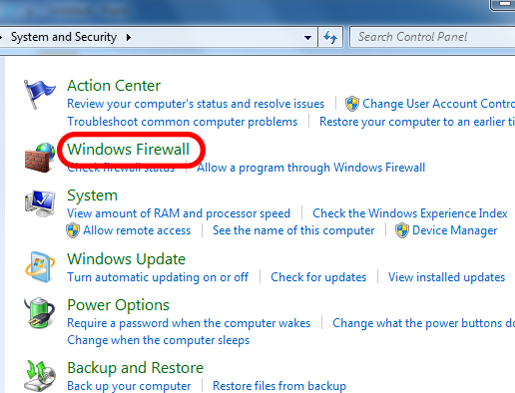
Click or tap Windows Firewall.
-
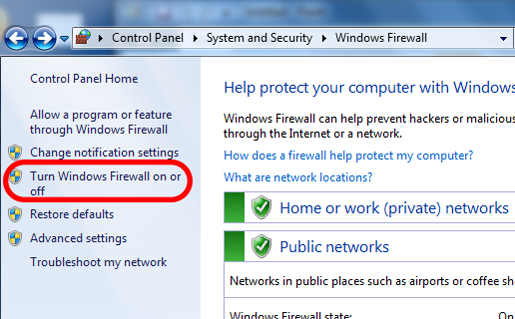
Click or tap Turn Windows Firewall on or off and enter your password if prompted.
-
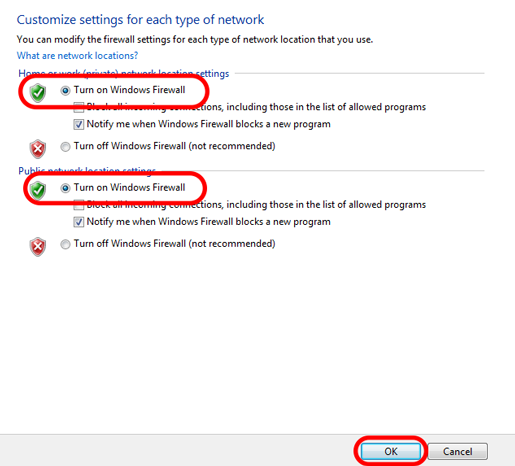
Select Turn on Windows Firewall for both settings and click OK.
Windows 7
-
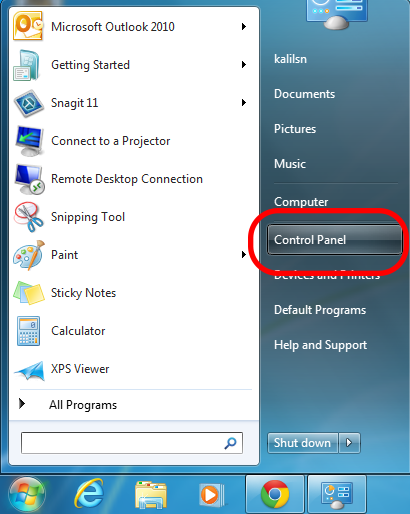
Open the Start menu and click Control Panel.
-
Click System and Security.
-
Click Windows Firewall.
-
Click Turn Windows Firewall on or off and enter your password if prompted.
-
Choose Turn on Windows Firewall for both settings and click OK.